 Image 1 of 1
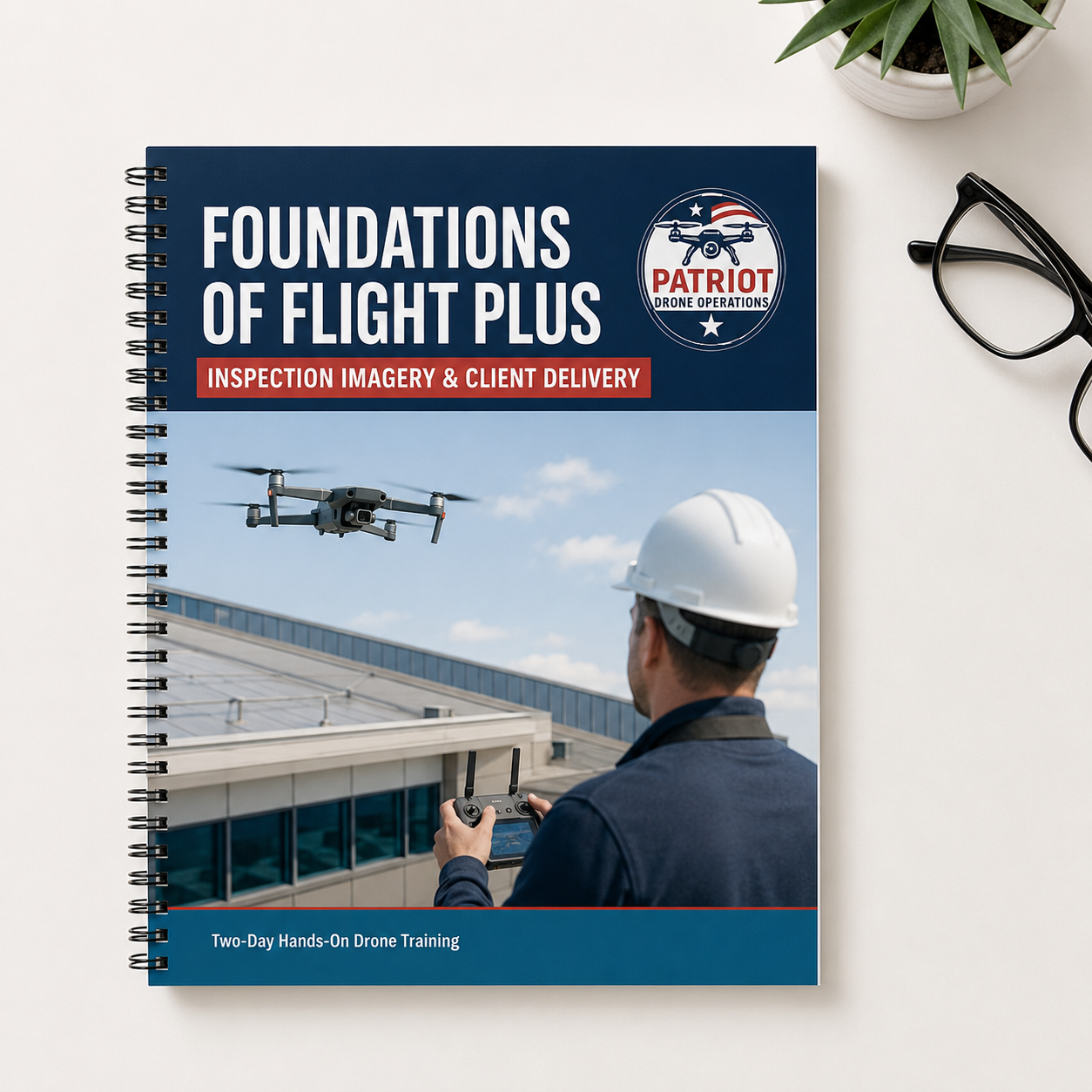
Foundations of Flight Plus: Inspection Imagery and Client Delivery
Mission Overview | Two-Day Course | 0800–1200 Each Day
Flight activities and training locations are weather dependent.
Build the foundational flight skills needed to safely capture and professionally deliver aerial imagery for inspection-related work.
This two-day, hands-on course is designed for beginner drone pilots interested in supporting roofers, contractors, property managers, licensed inspectors, and other industry professionals. Students will learn how to safely operate a drone around structures, capture clear and organized photos and videos, manage collected files, and professionally deliver content to a client.
Day One focuses on flight safety, mission planning, precision aircraft control, camera operation, and systematic image collection. Day Two begins with a flight refresher and simulated inspection-support exercise before covering the complete post-flight workflow—from transferring and organizing files to delivering a polished final product.
Led by experienced drone pilots with military and law-enforcement backgrounds, this course emphasizes safety, precision, repeatable flight techniques, and professional client service.
This is a drone flight and aerial-imagery course. It does not provide certification or licensing in property, roof, building, engineering, insurance, or other professional inspections.
Day One: Foundations of Inspection-Support Flight
Preflight and Mission Planning
Learn how to understand the client’s requested imagery, identify the areas to be photographed, assess the operating environment, and create a safe flight plan before launch.
Site and Hazard Assessment
Learn to identify potential flight hazards, including:
• Power lines and antennas
• Trees and surrounding structures
• People, vehicles, and animals
• Reflective and transparent surfaces
• Electromagnetic interference
• Weather and lighting conditions
• Restricted or controlled airspace
• Safe launch, landing, and emergency areas
Systematic Image-Capture Patterns
Practice controlled flight techniques for capturing complete and organized visual coverage, including:
• Building and roof orbits
• Vertical flight passes
• Grid and perimeter patterns
• Oblique-angle photography
• Top-down image collection
• Close-detail imagery from a safe distance
• Repeatable flight paths for future comparisons
Precision Aircraft Control
Develop the foundational skills needed to maintain a safe and consistent altitude, distance, speed, and camera position while flying near structures and obstacles.
Camera Fundamentals
Learn how to use:
• Camera angle and gimbal control
• Exposure and focus
• Digital or optical zoom, when supported
• Image overlap
• Wide, medium, and detail photographs
• Reference images that help identify photographed locations
• Video versus still photography
• Consistent framing for repeat visits
Day Two: Flight Refresher and Professional Client Delivery
Flight Refresher
Day Two begins with a review of:
• Preflight procedures
• Aircraft and battery inspection
• Site safety
• Takeoffs and landings
• Stable hovering
• Camera positioning
• Return-to-Home procedures
• Systematic flight and image-capture patterns
Students will then complete a short, simulated inspection-support flight to reinforce the skills learned on Day One.
Post-Flight File Management
Learn how to safely transfer photos and videos from the drone or memory card to a computer or external drive.
Training includes:
• Creating a consistent project folder structure
• Renaming files for easy client reference
• Maintaining original files
• Creating working and client-delivery copies
• Backing up project data
• Protecting client and property information
Photo and Video Review
Students will learn how to:
• Identify blurred, overexposed, or unusable imagery
• Select the strongest photographs
• Compare overview and detail images
• Make basic exposure and cropping adjustments
• Avoid edits that could misrepresent what was photographed
• Export files at an appropriate size and quality
• Prepare video clips for efficient client viewing
Uploading and Delivering Client Files
Learn how to professionally upload and share aerial photos and videos using common file-delivery platforms.
Training includes:
• Choosing an appropriate delivery platform
• Creating clearly labeled client folders and galleries
• Uploading high-resolution photos and videos
• Setting download permissions or access codes
• Sharing large files securely
• Providing clear download instructions
• Creating a professional client-delivery message
• Maintaining backup copies after delivery
Final Practical Exercise
Students will complete a beginner-friendly flight and photo-delivery exercise:
• Complete a preflight safety check and prepare the drone for flight.
• Practice takeoffs, landings, hovering, and controlled camera movements.
• Capture clear, professional-quality aerial photos and short videos.
• Transfer, organize, upload, and professionally share the finished files with a simulated client.
What’s Included
• Eight hours of instruction across two days
• Small-group, hands-on flight coaching
• Access to a training aircraft, if needed
• Digital preflight and image-capture checklist
• Client-intake questionnaire
• Inspection-support shot-list template
• File-organization guide
• Client imagery-delivery summary template
• Client-delivery email template
• File-sharing platform reference guide
• Certificate of completion
FAA Requirements
An FAA Remote Pilot Certificate is not required to attend this educational course. However, pilots flying for compensation or in furtherance of a business generally must hold an FAA Part 107 Remote Pilot Certificate and comply with all applicable FAA requirements.
Course Scope and Disclaimer
This course teaches drone operation, aerial image collection, file management, and professional content delivery. It does not train or certify students to diagnose defects, determine the cause of damage, assess structural integrity, estimate repair costs, interpret building codes, make insurance determinations, or perform any service that requires a separate professional license or certification.
Students are trained to safely capture and deliver visual information for review by the client or an appropriately qualified professional.
Training Locations
Training locations are selected to provide a safe, effective, and compliant learning environment. Locations may vary based on weather, airspace restrictions, property access, and the planned training scenario.
Sessions will be conducted within approximately a 30-minute radius of the advertised training area.
Final location details, parking instructions, equipment requirements, and arrival guidance will be provided by text message and email approximately 24–48 hours before each training day.
Mission Overview | Two-Day Course | 0800–1200 Each Day
Flight activities and training locations are weather dependent.
Build the foundational flight skills needed to safely capture and professionally deliver aerial imagery for inspection-related work.
This two-day, hands-on course is designed for beginner drone pilots interested in supporting roofers, contractors, property managers, licensed inspectors, and other industry professionals. Students will learn how to safely operate a drone around structures, capture clear and organized photos and videos, manage collected files, and professionally deliver content to a client.
Day One focuses on flight safety, mission planning, precision aircraft control, camera operation, and systematic image collection. Day Two begins with a flight refresher and simulated inspection-support exercise before covering the complete post-flight workflow—from transferring and organizing files to delivering a polished final product.
Led by experienced drone pilots with military and law-enforcement backgrounds, this course emphasizes safety, precision, repeatable flight techniques, and professional client service.
This is a drone flight and aerial-imagery course. It does not provide certification or licensing in property, roof, building, engineering, insurance, or other professional inspections.
Day One: Foundations of Inspection-Support Flight
Preflight and Mission Planning
Learn how to understand the client’s requested imagery, identify the areas to be photographed, assess the operating environment, and create a safe flight plan before launch.
Site and Hazard Assessment
Learn to identify potential flight hazards, including:
• Power lines and antennas
• Trees and surrounding structures
• People, vehicles, and animals
• Reflective and transparent surfaces
• Electromagnetic interference
• Weather and lighting conditions
• Restricted or controlled airspace
• Safe launch, landing, and emergency areas
Systematic Image-Capture Patterns
Practice controlled flight techniques for capturing complete and organized visual coverage, including:
• Building and roof orbits
• Vertical flight passes
• Grid and perimeter patterns
• Oblique-angle photography
• Top-down image collection
• Close-detail imagery from a safe distance
• Repeatable flight paths for future comparisons
Precision Aircraft Control
Develop the foundational skills needed to maintain a safe and consistent altitude, distance, speed, and camera position while flying near structures and obstacles.
Camera Fundamentals
Learn how to use:
• Camera angle and gimbal control
• Exposure and focus
• Digital or optical zoom, when supported
• Image overlap
• Wide, medium, and detail photographs
• Reference images that help identify photographed locations
• Video versus still photography
• Consistent framing for repeat visits
Day Two: Flight Refresher and Professional Client Delivery
Flight Refresher
Day Two begins with a review of:
• Preflight procedures
• Aircraft and battery inspection
• Site safety
• Takeoffs and landings
• Stable hovering
• Camera positioning
• Return-to-Home procedures
• Systematic flight and image-capture patterns
Students will then complete a short, simulated inspection-support flight to reinforce the skills learned on Day One.
Post-Flight File Management
Learn how to safely transfer photos and videos from the drone or memory card to a computer or external drive.
Training includes:
• Creating a consistent project folder structure
• Renaming files for easy client reference
• Maintaining original files
• Creating working and client-delivery copies
• Backing up project data
• Protecting client and property information
Photo and Video Review
Students will learn how to:
• Identify blurred, overexposed, or unusable imagery
• Select the strongest photographs
• Compare overview and detail images
• Make basic exposure and cropping adjustments
• Avoid edits that could misrepresent what was photographed
• Export files at an appropriate size and quality
• Prepare video clips for efficient client viewing
Uploading and Delivering Client Files
Learn how to professionally upload and share aerial photos and videos using common file-delivery platforms.
Training includes:
• Choosing an appropriate delivery platform
• Creating clearly labeled client folders and galleries
• Uploading high-resolution photos and videos
• Setting download permissions or access codes
• Sharing large files securely
• Providing clear download instructions
• Creating a professional client-delivery message
• Maintaining backup copies after delivery
Final Practical Exercise
Students will complete a beginner-friendly flight and photo-delivery exercise:
• Complete a preflight safety check and prepare the drone for flight.
• Practice takeoffs, landings, hovering, and controlled camera movements.
• Capture clear, professional-quality aerial photos and short videos.
• Transfer, organize, upload, and professionally share the finished files with a simulated client.
What’s Included
• Eight hours of instruction across two days
• Small-group, hands-on flight coaching
• Access to a training aircraft, if needed
• Digital preflight and image-capture checklist
• Client-intake questionnaire
• Inspection-support shot-list template
• File-organization guide
• Client imagery-delivery summary template
• Client-delivery email template
• File-sharing platform reference guide
• Certificate of completion
FAA Requirements
An FAA Remote Pilot Certificate is not required to attend this educational course. However, pilots flying for compensation or in furtherance of a business generally must hold an FAA Part 107 Remote Pilot Certificate and comply with all applicable FAA requirements.
Course Scope and Disclaimer
This course teaches drone operation, aerial image collection, file management, and professional content delivery. It does not train or certify students to diagnose defects, determine the cause of damage, assess structural integrity, estimate repair costs, interpret building codes, make insurance determinations, or perform any service that requires a separate professional license or certification.
Students are trained to safely capture and deliver visual information for review by the client or an appropriately qualified professional.
Training Locations
Training locations are selected to provide a safe, effective, and compliant learning environment. Locations may vary based on weather, airspace restrictions, property access, and the planned training scenario.
Sessions will be conducted within approximately a 30-minute radius of the advertised training area.
Final location details, parking instructions, equipment requirements, and arrival guidance will be provided by text message and email approximately 24–48 hours before each training day.